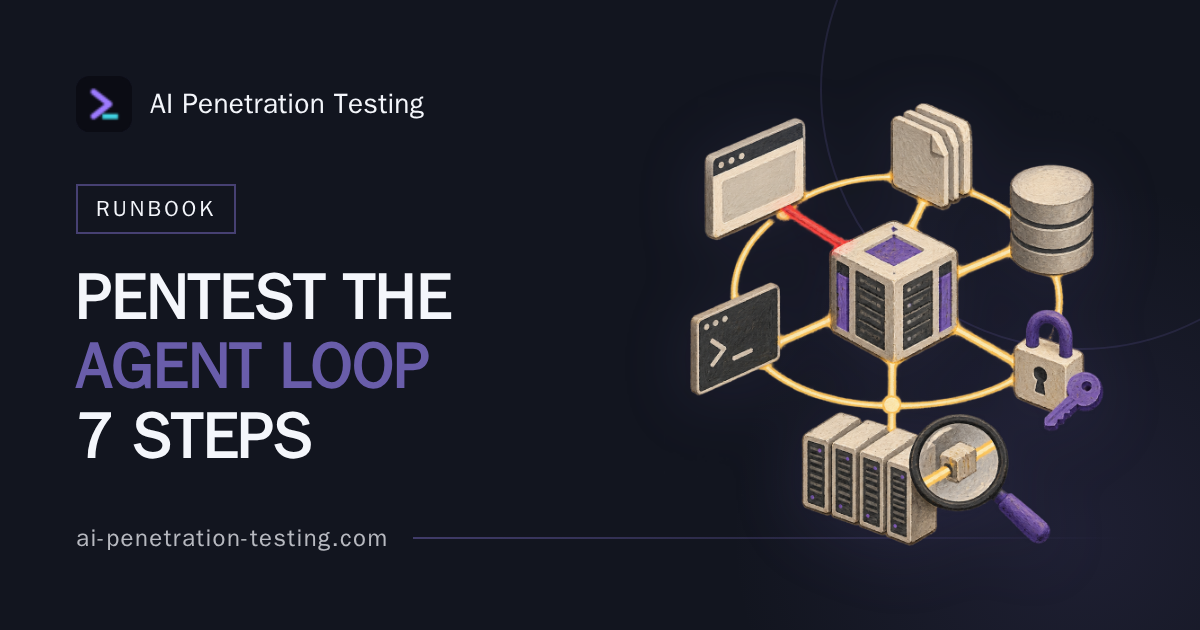
Most teams asked how to pentest an AI agent start by trying to make the model say something it should not. Wrong end of the problem. A rude sentence in a transcript is a model quirk, and engineering will treat it as one; what you are actually assessing is a loop that reads untrusted data, decides, and then acts with real credentials against real systems.
The runbook below sequences one engagement against one agent, from permissions to proof artefacts. It assumes you have tested web applications and APIs before and that someone has just handed you a tool-calling assistant, an internal agent wired through MCP, or a coding agent with shell access, and asked for a report in a fortnight.
What You Are Actually Testing When You Pentest an AI Agent
The unit of assessment is the control loop, not the model. Untrusted input enters the context window. The model decides. A tool is called with arguments. The result comes back as fresh input, and the loop runs again. Every hop in that cycle is an opportunity for someone who is not your user to influence what happens next.
The model is the least interesting part of the target. Tool schemas, the credentials behind each tool, the retrieval corpus and the memory store are the interesting parts, because those decide how far the damage travels. Remove the tools and it is a chatbot.
Three target shapes come up repeatedly, and they demand different emphasis:
- Customer-facing assistant with retrieval. The attack surface is who can write into the corpus and what the agent can do with what it reads. Usually read-heavy, so the severity ceiling is exfiltration and misinformation at scale.
- Internal agent connected to business systems via MCP. Tool descriptions, tenancy and service account scoping dominate. One tool with write access to a finance system changes the whole rating.
- Coding agent in a repository with shell access. Configuration files, dependency manifests and command composition. This is the shape where a finding becomes supply chain risk fastest.
Set the bar for a finding before the kickoff call ends: a demonstrated consequence in the host system. A changed database row, an outbound email, a merged pull request, a file read that the requesting user had no right to. That is the whole standard. Transcripts are supporting evidence, never the finding itself.
Step 1: Map Permissions, Identity and Blast Radius Before You Send a Single Prompt
Testers who open with jailbreak attempts burn two days producing screenshots that a developer closes in ten minutes. Open with the permission model instead, because the agent’s credentials define the severity ceiling for everything you find afterwards.
Build an inventory: every tool, function and API the agent can call, the credential behind each one, and whose identity it runs as. Then ask the confused deputy question plainly. Does the agent act as the requesting user, as a shared service account, or as an administrator with no per-user scoping at all? The third answer is common and is frequently the worst issue on the engagement, found before a single prompt is sent. If that answer needs proof rather than assumption, run the six tests that prove confused deputy behaviour before scoring the finding.
Record data breadth separately from action breadth. Which stores can it read, which can it write, and which actions cannot be undone: payments, outbound mail, deletions, merges, deployments. Finish with a one-page worst-case sheet that states what full compromise of the loop would mean in business terms. Every later finding gets rated against that sheet. The same groundwork sits behind our wider guidance on securing AI agents and their tool use, and it is the page to hand a client who wants to understand what you are about to do.
Step 2: Inventory Every Channel That Reaches the Context Window
List the channels the team already knows about: user prompts, uploaded files, system prompt overrides, configuration files such as AGENTS.md. Then list the ones they forget, which is where the work is. Retrieved documents. Tool results. Webhook payloads. Calendar invites. Ticket bodies. Commit messages and PR descriptions. HTTP request and response headers, which the agent may be summarising without anyone thinking of them as content at all. Header-borne payloads deserve their own pass; the mechanics are set out in our note on indirect prompt injection through HTTP headers.
Tool results are the channel most often left unfiltered. Teams sanitise the user prompt, scrub the retrieval corpus, and then pipe an API response back into the context window verbatim. Any upstream system the agent calls becomes an injection path, including third-party services nobody wrote into the scope document.
Treat encoding, folding and length as their own test dimension. Filters tend to inspect the decoded, unfolded opening of a field and ignore the rest, so test payloads placed deep in long values, split across folded lines, and wrapped in layers the sanitiser decodes but the model also decodes. Finally, rank channels by reachability: who can write to each one, and whether they need to authenticate first. An anonymous web form that feeds the corpus outranks an admin-only configuration file every time.
Step 3: Probe Instruction Boundaries, Then Move to Indirect Injection
Direct instruction bypass is reconnaissance. It tells you how firmly the system prompt is enforced, whether there is an output filter sitting in front of the response, and what the refusal text looks like so you can recognise it later. It is not the deliverable.
Move to planted payloads quickly. Put instructions in the data the agent will read later: the ticket a customer submits, the document that gets indexed, the README in a dependency. Then separate two outcomes that look similar and mean very different things. A payload that is merely read and echoed is noise. A payload that is obeyed, producing a tool call the user never asked for, is the finding. Canary artefacts help: unique strings and a file or endpoint that only responds if the agent actually went and touched it.
Chain where you can. Injection in a retrieved document triggers a tool call; the tool result carries a second payload back into the loop; the second payload drives the action that matters. Our breakdown of blast radius tests for agent prompt injection covers the individual probes in more detail than there is room for here.
Keep a payload log throughout: channel, encoding, byte position, agent response, system-side result. A failed attempt recorded precisely is reportable. An unrecorded success is not.
Step 4: Attack the Tool Layer, Where the Real Damage Lives
Tool descriptions are instructions that the user never sees. Poison one and you change the agent’s behaviour without touching the model or the prompt. Cross-server shadowing is the version people miss: an internal assistant connected to two MCP servers, where a tool description on the second server redefines how the first server’s file-read tool should be used. Neither server has been compromised. Behaviour has changed anyway.
Test post-approval drift as well. A tool the user approved on Monday can present a different description or different parameters on Tuesday, with no fresh consent prompt. Ask the client when the schema was last fetched and whether anything revalidates it.
Then push on excessive agency, which OWASP lists in its Top 10 for LLM Applications alongside prompt injection:
- Argument tampering and wildcard parameters: can an injected instruction widen a query from one record to all records.
- Path traversal in file tools, including relative paths that escape the configured workspace.
- Shell command composition in coding agents: chained commands, substitution, flags that redirect output.
- Secret exfiltration through tool arguments, where an environment variable ends up inside a URL the agent is told to fetch.
For coding agents, test the dependency path specifically. A poisoned AGENTS.md or a dependency README can instruct the agent to add a package name that does not exist on the registry, which an attacker is then free to register. The diff looks ordinary and survives review. We cover the containment side of that file in our piece on AGENTS.md prompt injection.
Step 5: Test the Checkpoints, Not Just the Bypass
Human-in-the-loop approval is an attack surface in its own right, and it fails on presentation rather than logic. A confirmation dialogue that shows a tool name and a truncated argument string will pass a crafted path or a long command straight through a user who is clicking their tenth approval of the morning. Test the preview, not just the gate. Submit arguments that are correct at the front and hostile after the truncation point, and see what the user is actually shown.
Check batch approvals too, where one click authorises a set of calls that includes something unrelated. Drive the agent in a loop and see whether rate limits, spend caps and per-tool allowlists hold or whether they were only ever enforced per session.
Then look at detectability. Can a defender reconstruct your attack from the traces the system produced? Many transcripts record tool names and omit arguments, which makes incident response guesswork. Close with reversibility: list what an incident responder could undo and what is gone for good. That list often moves a medium to a high on its own.
Step 6: Prove It Twice and Record the Reproduction Rate
Agents are non-deterministic, so single-shot evidence is weak evidence. Run every successful attack a fixed number of times, ten is a reasonable default, and report how many landed. A three-in-ten injection that deletes customer records is more serious than a ten-in-ten one that only produces disallowed text. Engineers will attempt to reproduce your finding exactly once before closing it, so give them the hit rate and the conditions that raise it.
Separate model assertion from system behaviour every time. The agent claiming it sent the email is not evidence. The outbound mail log is. Check the database row, the repository state, the webhook receiver, the audit log.
Capture the full artefact set per finding: the payload with its exact encoding, the transcript, the tool call including arguments, the system-side evidence, and the model version plus temperature and system prompt hash at the time of the test. Collapse duplicates before you write up. One injection vector delivered through six channels is one finding with six delivery paths, not six findings.
Step 7: Write It Up So Engineers Can Act, and Decide What to Retest
Rate by demonstrated consequence and blast radius, not by how alarming the transcript reads. Map techniques to shared vocabulary where it helps the client’s detection team, MITRE ATLAS and the AI-related techniques in MITRE ATT&CK v20 for the adversary view, and the NCSC’s guidelines for secure AI system development for the UK governance conversation that follows.
Remediation should fit the architecture: scope credentials per user instead of per service, isolate untrusted content from instruction context, constrain tool arguments at the server rather than in the prompt, and put a checkpoint in front of every irreversible action. Prompt-level fixes are mitigations, not controls, and say so in the report.
If any part of the draft was assembled with model assistance, screen it hard. Invented ticket references, evidence that cannot be traced back to a logged measurement, and findings that vanish on re-run are the three that get a report sent back; our list of red flags for hallucination in security reports goes further. Set retest triggers on configuration changes, not on the calendar. A vendor model update or a one-line system prompt edit can reopen a closed finding quietly, and nothing in the change log will look like a security event.
The Short Version
Permissions first, prompts last. Treat tool results as untrusted input. Test the approval preview, not just the approval. Report hit rates, not screenshots. Rate by what moved in the host system, and tie the retest to the next model or prompt change rather than to next year.
Frequently Asked Questions
How long does it take to pentest an AI agent properly?
For a single agent with a modest tool set, a week of testing plus reporting time is a sensible floor, because Step 1 and Step 6 both take longer than people expect. Agents wired into several business systems, or running with shell access, routinely need two weeks or more. Scope by number of tools and number of writeable input channels, not by number of prompts.
What access do I need from the client before testing an AI agent?
The tool and function schemas, the credentials each tool runs as, a list of input channels, access to the system-side logs, and a non-production environment with realistic data where irreversible actions can be observed safely. You also need written authorisation covering any third-party service the agent calls, since those may fall outside the standard test agreement.
Is testing an AI agent different from testing an LLM chatbot?
Yes, and confusing them is the first mistake. A chatbot test ends at the text the model produces; an agent test ends at what the system did with credentials afterwards. The techniques overlap, but the evidence standard, the scoping questions and the severity model are different.
How do I report a finding that only reproduces some of the time?
Report it with the run count and the hit rate stated plainly, for example four successes in ten attempts under a named model version and configuration. Include the conditions that improved reliability, such as payload position or conversation length. Partial reproduction lowers confidence, not severity, when the consequence is irreversible.
Can automated scanners pentest an AI agent on their own?
No. Automated tooling is useful for generating payload volume and for regression checks between releases, but it cannot map a permission model, judge whether a tool call actually caused harm, or spot cross-server shadowing. Use it to widen coverage, then verify every hit by hand against system-side evidence.
If you want the evidence standard behind this runbook spelled out finding by finding, read the LLM penetration testing checklist next. Proof, not output.